Squarespace Domains provides a DNS settings area where you can add custom records. To receive mail at every address on the domain with Free Domain Mail, add one TXT ownership record and one MX record that points to mx.freedomainmail.com.
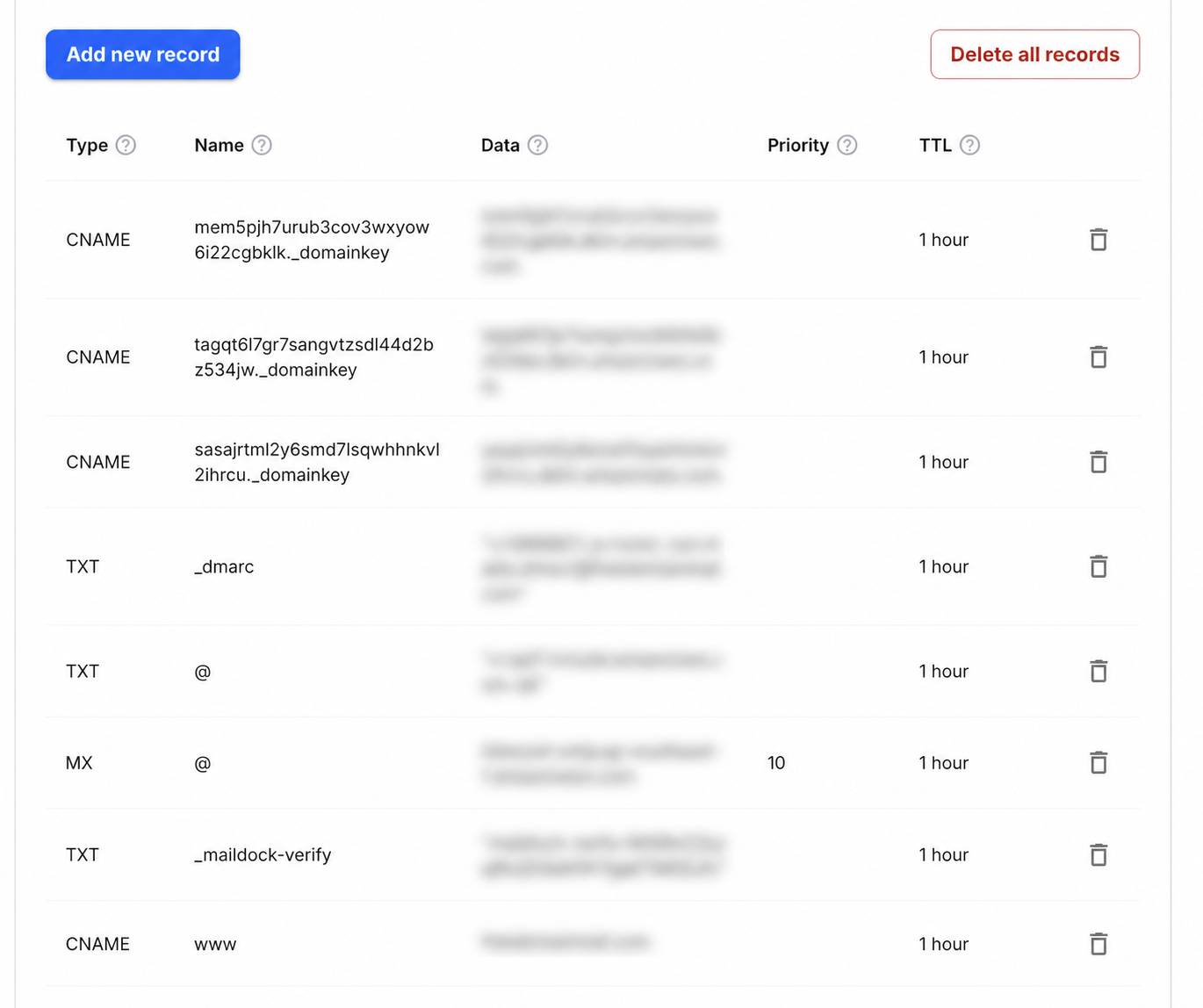
Step-by-step setup
- 1Open the Domains dashboard and select the Squarespace-managed domain.
- 2Open DNS Settings and find Custom Records.
- 3Choose Add record and add a TXT record with Host _maildock-verify and the maildock-verify=… value shown in the app; if the editor wants the full name, use _maildock-verify.yourdomain.com.
- 4Add an MX record with Host @, Value mx.freedomainmail.com and Priority 10; enter a relative Host value and do not append the domain twice.
- 5Remove any other MX records for the domain, save, then run DNS Checker after propagation.
What goes in each DNS field
| Type | Name / Host | Value / Data | Priority |
|---|---|---|---|
MX | @ | mx.freedomainmail.com | 10 |
TXT | _maildock-verify | maildock-verify=… (shown in the app) | — |
TXT | @ | SPF (v=spf1 …): only if you send from another provider; if a v=spf1 record already exists, merge senders into that one v=spf1 record | — |
TXT | _dmarc | v=DMARC1; p=none; …: only if you send from another provider | — |
Interface reference: Squarespace: adding custom DNS records. Always copy the domain-specific values shown inside your Free Domain Mail setup.
What a catch-all inbox needs
With Free Domain Mail, a verified domain becomes a catch-all inbox: mail to any name at the domain is accepted, with nothing to create per address, and kept for 30 days. The service is receive-only and never sends or forwards mail.
Two records do the job: a TXT record with Host _maildock-verify holding the maildock-verify=… value shown in the app, and an MX record at @ with the value mx.freedomainmail.com and priority 10. The app shows the exact host and value: at providers that append the domain automatically, enter only _maildock-verify; at providers that want the full name, use _maildock-verify.yourdomain.com.
Type  Name / Host        Value                                 Priority
TXT   _maildock-verify   maildock-verify=… (shown in the app)  —
MX    @                  mx.freedomainmail.com                 10
Open DNS settings
Select the domain in Squarespace, open DNS Settings, then add the TXT and MX records as custom records.
Use @ only when the interface asks for a root hostname; avoid adding the domain twice.
Remove other MX records and protect existing services
Remove any other MX records for this domain. When several MX hosts are listed, senders can deliver to any of them, so leftover records split your incoming mail across services.
Keep records required for the website or for another service's verification. The MX records decide where all incoming mail for the domain goes; if the domain already receives mail you depend on, such as a work mailbox, connect a different domain instead.
SPF, DKIM and DMARC: only if this domain also sends mail
Free Domain Mail never sends, so these authentication records are only needed if this domain also sends mail through another provider.
If it does, keep a single SPF record that lists every sending service, copy that provider's DKIM record exactly, and introduce DMARC at p=none before moving to a stricter policy.
Confirm the records are live
After saving, run the DNS Checker and an MX lookup. The public answer should show only mx.freedomainmail.com.
Then send a test message from an outside account to a new name at the domain and confirm it arrives.
Common mistakes to avoid
- Deleting verification records for another service.
- Leaving an old MX record next to mx.freedomainmail.com.
- Publishing a DMARC policy for a sending provider before SPF and DKIM have been checked.
Frequently asked questions
Does the registrar matter?
No. The required DNS values are the same everywhere; only the interface differs. Add them where the domain's DNS is authoritative.
Which record is most sensitive?
MX, because it changes where all incoming mail for the domain is delivered. Review existing MX records before replacing them.
Do I have to create addresses before they receive mail?
No. After the domain is verified, every address at it receives mail automatically.