GoDaddy DNS uses record fields for Type, Name, Value, Priority and TTL. To receive mail at every address on a domain with Free Domain Mail, you add two records in GoDaddy: one TXT record that proves you own the domain and one MX record that sends incoming mail to mx.freedomainmail.com.
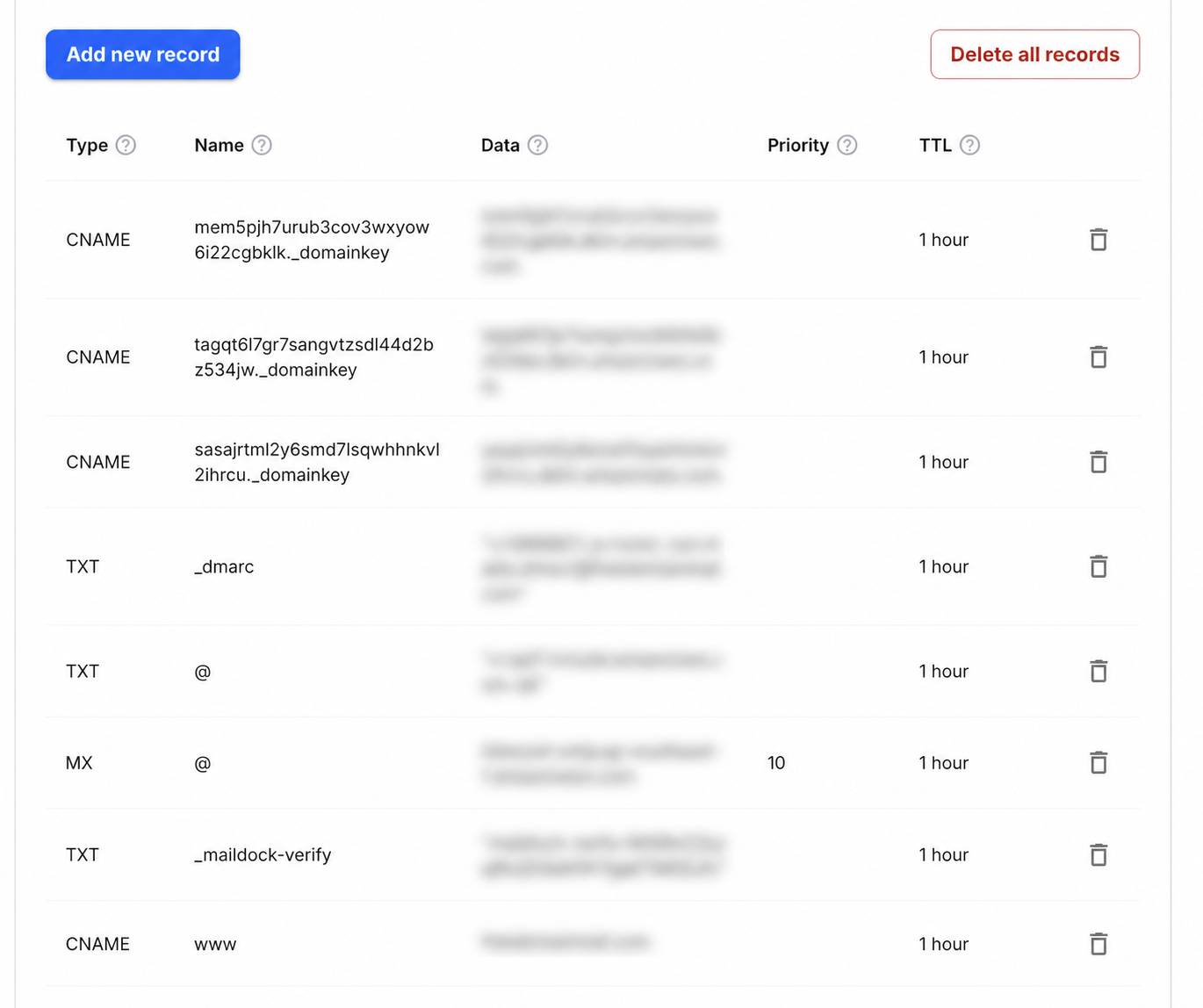
Step-by-step setup
- 1Sign in to GoDaddy, open Domain Portfolio and select the domain.
- 2Choose DNS, then confirm the nameservers shown are the ones currently authoritative.
- 3Select Add New Record and add a TXT record with Name _maildock-verify and the maildock-verify=… value shown in the app; if the editor wants the full name, use _maildock-verify.yourdomain.com.
- 4Add an MX record with Name @, Value mx.freedomainmail.com and Priority 10, then delete any other MX records for the domain.
- 5Wait for propagation, then run DNS Checker below; once both records pass, every address at the domain receives mail.
What goes in each DNS field
| Type | Name / Host | Value / Data | Priority |
|---|---|---|---|
MX | @ | mx.freedomainmail.com | 10 |
TXT | _maildock-verify | maildock-verify=… (shown in the app) | — |
TXT | @ | SPF (v=spf1 …): only if you send from another provider; if a v=spf1 record already exists, merge senders into that one v=spf1 record | — |
TXT | _dmarc | v=DMARC1; p=none; …: only if you send from another provider | — |
Interface reference: GoDaddy: manage DNS records. Always copy the domain-specific values shown inside your Free Domain Mail setup.
The two records for a catch-all inbox
Free Domain Mail turns a domain you own into a catch-all inbox: every address at the domain receives mail, and there are no mailboxes to create. It is receive-only, so it never sends or forwards mail, and messages are kept for 30 days.
Add a TXT record with Name _maildock-verify and, as its value, the maildock-verify=… value shown in the app; the value is unique to your domain, so copy it exactly. The app shows the exact host and value: at providers that append the domain automatically, enter only _maildock-verify; at providers that want the full name, use _maildock-verify.yourdomain.com. Then add an MX record with Name @, Value mx.freedomainmail.com and Priority 10.
Type  Name / Host        Value                                 Priority
TXT   _maildock-verify   maildock-verify=… (shown in the app)  —
MX    @                  mx.freedomainmail.com                 10
Add the records in GoDaddy
Open the domain's DNS settings, choose Add new record, then select TXT or MX.
Use _maildock-verify as the Name of the TXT record and @ as the Name of the MX record. Enter mx.freedomainmail.com as the MX value and 10 in the separate Priority field; the priority is not part of the target.
Remove the other MX records
Delete any other MX records for this domain, including ones a previous email service added. Sending servers can deliver to any host in the MX set, so an old record left in place sends some messages to a server you are not checking.
The MX records decide where all incoming mail for the domain goes. If the domain already receives mail you depend on, such as a work mailbox, connect a different domain instead.
SPF, DKIM and DMARC: only if this domain also sends mail
Free Domain Mail never sends mail, so the catch-all inbox does not need SPF, DKIM or DMARC. These records are only needed if this domain also sends mail through another provider.
In that case keep one SPF TXT record at @ and merge every sending service into it rather than adding a second v=spf1 record. Copy DKIM selectors exactly as that provider shows them, and publish DMARC as a TXT record at _dmarc, starting with p=none.
Check the result
Wait for the old TTL to pass, then run an MX lookup from outside GoDaddy. The answer should list only mx.freedomainmail.com.
Send a message from an outside account to any name at the domain, even one you have never used. If it arrives in the inbox, the catch-all is working.
Common mistakes to avoid
- Leaving the old MX records in place next to mx.freedomainmail.com.
- Mistaking Priority for part of the MX target.
- Creating a second SPF record instead of merging senders, when the domain also sends through another provider.
Frequently asked questions
Do I need a trailing dot?
Use the value format GoDaddy shows. Its DNS editor normally handles fully qualified names, so mx.freedomainmail.com is enough.
Can I keep my website records?
Yes. Website A and CNAME records and email MX records serve different purposes and coexist. Only the MX records change where mail is delivered.
Do I need to create each email address?
No. Once the TXT and MX records are verified, every address at the domain receives mail; there is nothing to create per address.
Can I send mail from the domain with Free Domain Mail?
No. Free Domain Mail is receive-only: it never sends or forwards mail, and there is no IMAP, SMTP or POP3 access. Use a separate provider if the domain must also send.