Ce guide explique comment configurer DNS Squarespace étape par étape sans changer de registraire.
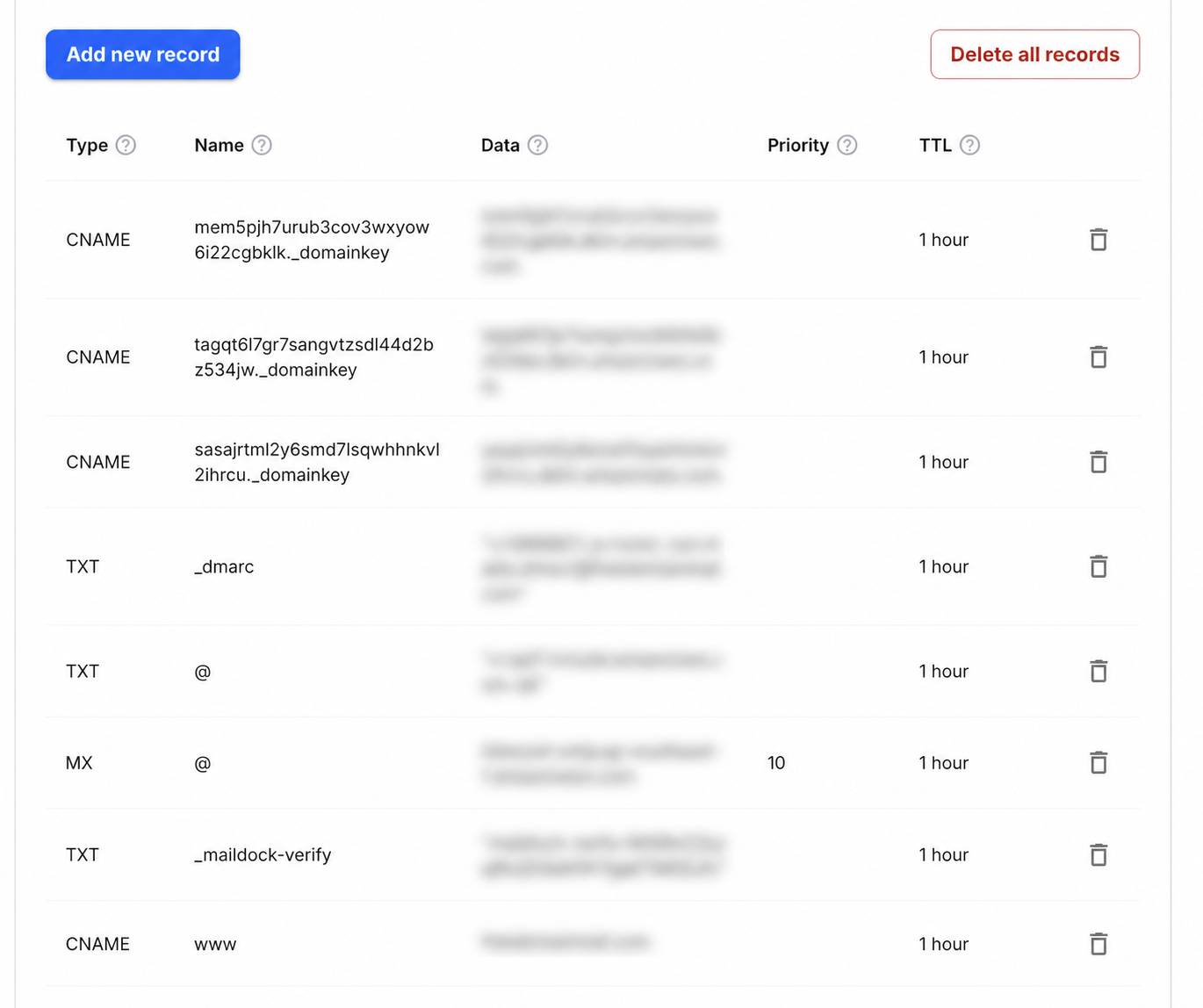
Step-by-step setup
- 1Open the Domains dashboard and select the Squarespace-managed domain.
- 2Open DNS Settings and find Custom Records.
- 3Choose Add record and add a TXT record with Host _maildock-verify and the maildock-verify=… value shown in the app; if the editor wants the full name, use _maildock-verify.yourdomain.com.
- 4Add an MX record with Host @, Value mx.freedomainmail.com and Priority 10; enter a relative Host value and do not append the domain twice.
- 5Remove any other MX records for the domain, save, then run DNS Checker after propagation.
What goes in each DNS field
| Type | Name / Host | Value / Data | Priority |
|---|---|---|---|
MX | @ | mx.freedomainmail.com | 10 |
TXT | _maildock-verify | maildock-verify=… (shown in the app) | — |
TXT | @ | SPF (v=spf1 …): only if you send from another provider; if a v=spf1 record already exists, merge senders into that one v=spf1 record | — |
TXT | _dmarc | v=DMARC1; p=none; …: only if you send from another provider | — |
Interface reference: Squarespace: adding custom DNS records. Always copy the domain-specific values shown inside your Free Domain Mail setup.
Avant de commencer
Identifiez votre domaine et son fournisseur DNS avant d’ajouter les enregistrements pour DNS Squarespace.
Configuration étape par étape
Copiez exactement le nom et la valeur de DNS Squarespace; évitez les doublons et n’ajoutez pas deux fois le domaine racine.
Vérification après publication
Attendez la propagation DNS puis lancez la vérification. En cas d’échec, comparez chaque caractère et le TTL.
Common mistakes to avoid
- Erreur fréquente : créer des doublons, répéter le domaine dans Host ou utiliser une ancienne valeur.
Questions fréquentes
Quand un enregistrement DNS est-il actif ?
Cela prend généralement quelques minutes à quelques heures selon le TTL et le fournisseur.