Esta guía explica cómo configurar DNS de Squarespace paso a paso sin cambiar de registrador.
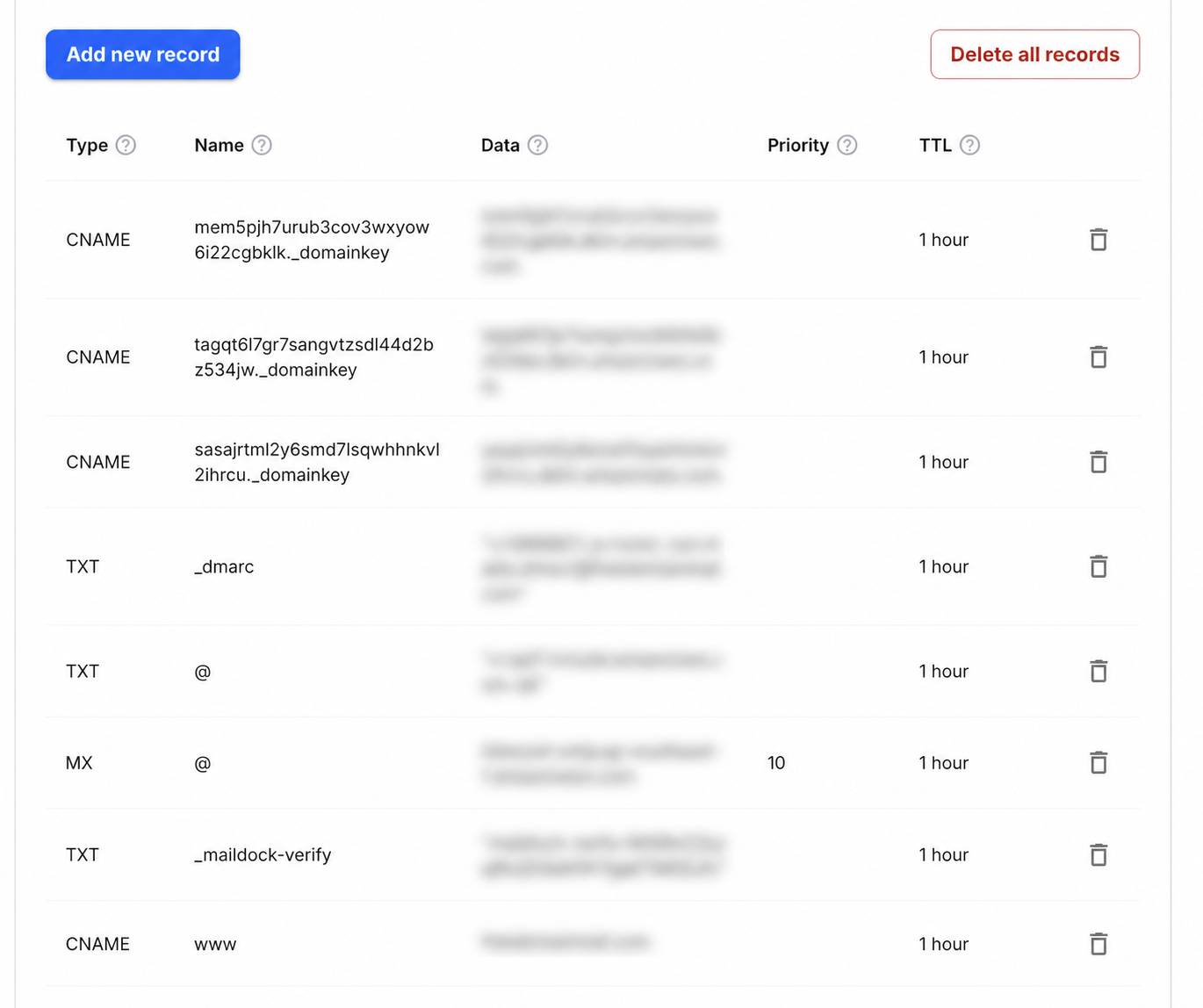
Step-by-step setup
- 1Open the Domains dashboard and select the Squarespace-managed domain.
- 2Open DNS Settings and find Custom Records.
- 3Choose Add record and add a TXT record with Host _maildock-verify and the maildock-verify=… value shown in the app; if the editor wants the full name, use _maildock-verify.yourdomain.com.
- 4Add an MX record with Host @, Value mx.freedomainmail.com and Priority 10; enter a relative Host value and do not append the domain twice.
- 5Remove any other MX records for the domain, save, then run DNS Checker after propagation.
What goes in each DNS field
| Type | Name / Host | Value / Data | Priority |
|---|---|---|---|
MX | @ | mx.freedomainmail.com | 10 |
TXT | _maildock-verify | maildock-verify=… (shown in the app) | — |
TXT | @ | SPF (v=spf1 …): only if you send from another provider; if a v=spf1 record already exists, merge senders into that one v=spf1 record | — |
TXT | _dmarc | v=DMARC1; p=none; …: only if you send from another provider | — |
Interface reference: Squarespace: adding custom DNS records. Always copy the domain-specific values shown inside your Free Domain Mail setup.
Antes de empezar
Identifica tu dominio y el proveedor de DNS antes de añadir los registros para DNS de Squarespace.
Configuración paso a paso
Copia exactamente el host y el valor de DNS de Squarespace; evita duplicados y no añadas el dominio raíz por segunda vez.
Comprobación después de publicar
Espera la propagación de DNS y ejecuta la comprobación. Si falla, compara cada carácter y el TTL.
Common mistakes to avoid
- Error frecuente: crear registros duplicados, repetir el dominio en Host o usar un valor antiguo.
Preguntas frecuentes
¿Cuándo se activa un registro DNS?
Normalmente tarda de unos minutos a unas horas según el TTL y el proveedor.